Your Personal Daily Journal
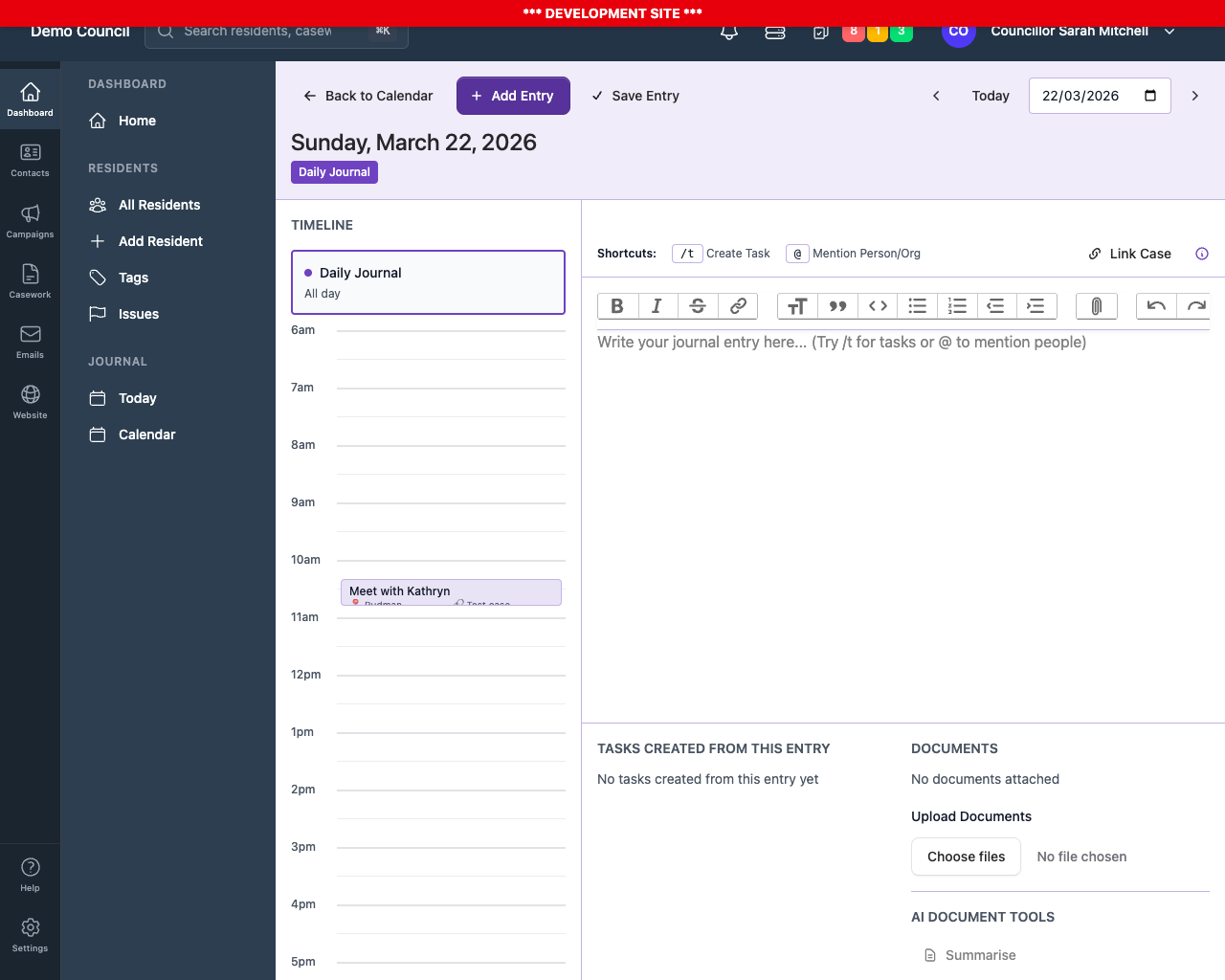
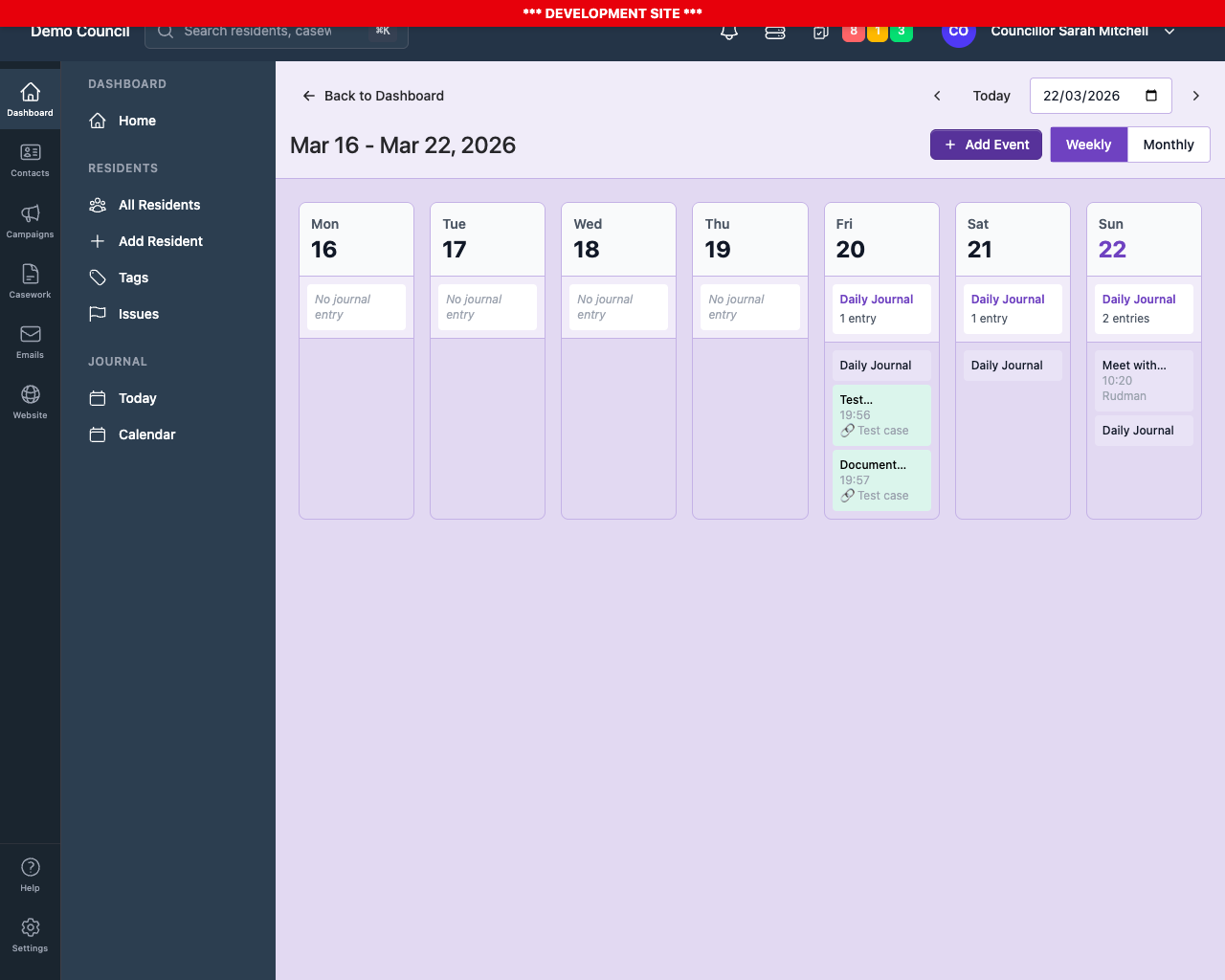
Plan your day in a calendar view. Track meetings, appointments, and important notes all in one place. Never forget what happened or when.
- Calendar view of all your activities
- Log meetings, appointments, and site visits
- Link journal entries to casework
- Rich text notes with formatting
Create Tasks Instantly with Shortcuts
Type natural language commands right in your journal to create tasks. No clicking through menus, no forms to fill.
Type this in your journal:
/t -d +2d Remember to chase Jen for update on The Northgate Centre -p high
And instantly get:
- Task created with the title "Remember to chase Jen for update on The Northgate Centre"
- Due date set to 2 days from now
- Priority set to High
- Linked to your journal entry automatically
Meeting Preparation Made Easy
Upload planning documents, committee papers, reports - anything. Get AI-powered summaries and analysis so you walk in prepared.
- Upload PDFs, Word docs, images to your journal
- Get AI summaries of complex documents
- Compare documents side-by-side with AI analysis
- Generate intelligent questions to ask